Find the right customers. Reach them from your own accounts.
Start research with your website or upload your Excel, CSV or JSON list. Organize customers and manage email and WhatsApp campaigns from your own accounts.
One nonexpiring company allocation: 50 businesses to research, 50 email recipients and 50 WhatsApp recipients. Rights activate after company details are accepted and are shared by your team.
- Excel · CSV · JSON
- Email and WhatsApp
- Management for each company and team
From data to conversation, every step visible.
Bring your company's files and messages into one workspace.
Prepare your list
Upload Excel, CSV or JSON. Map the columns, merge duplicates and download a report of invalid rows.
Build your campaign
Connect your own mailboxes, Meta WhatsApp Cloud API or Baileys account. Preview the content and audience, then choose the sending time.
Manage replies together
Review delivery, reply and tracking events in your inbox. Prepare a draft with your Claude or Codex account; edit it and approve sending separately.
Customer research joins the same workflow.
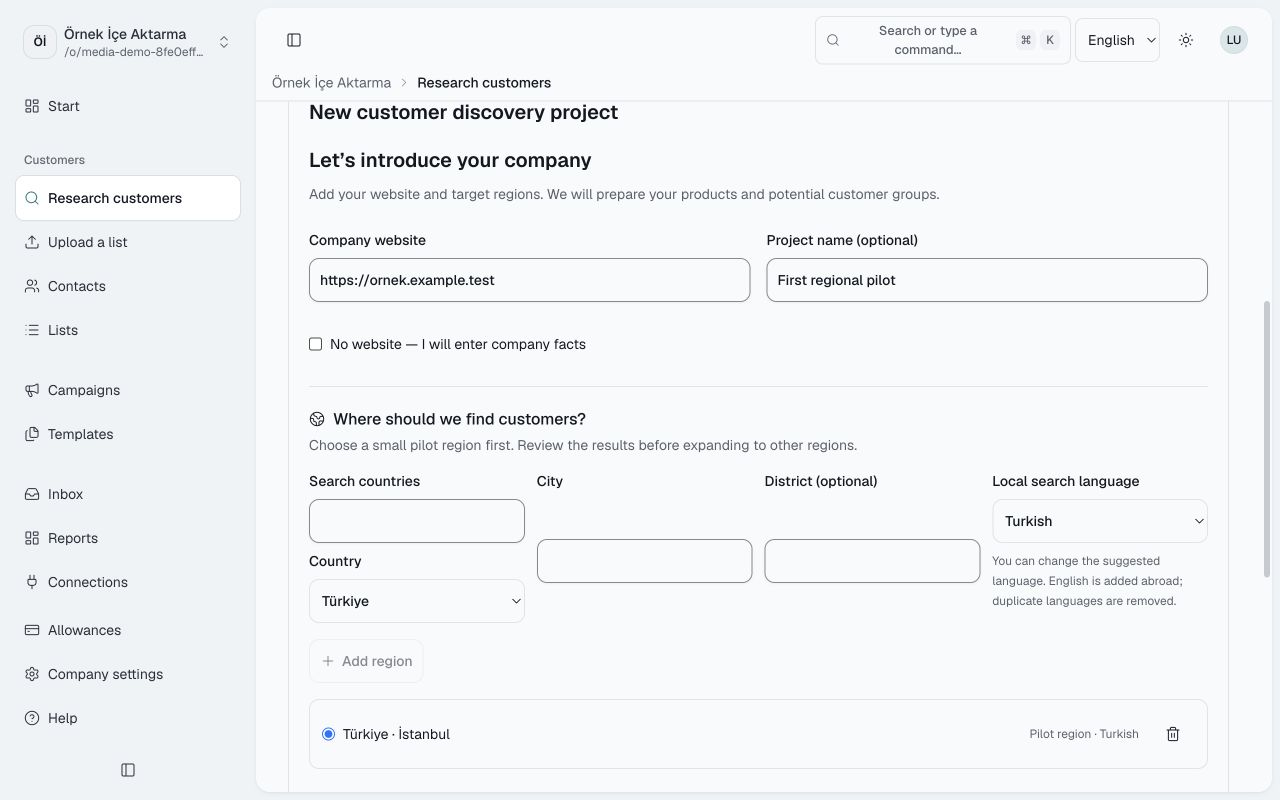
Create a Customer Discovery project using a website, country and city. Pair the desktop app with an eight-digit code, then approve the device in your dashboard. Import results into Ulak or export them to Excel.
A research result does not establish permission to contact someone. Campaign permission and opt-out records are assessed separately.
A workspace for each company.
Members, roles, accounts, usage limits and audit records belong to your company. Claude and Codex can manage your workspace through the MCP tools you authorize.
Open and click data are signals influenced by the recipient's app and privacy settings. An open event does not prove that a person read the message.
From research preparation to your contact list
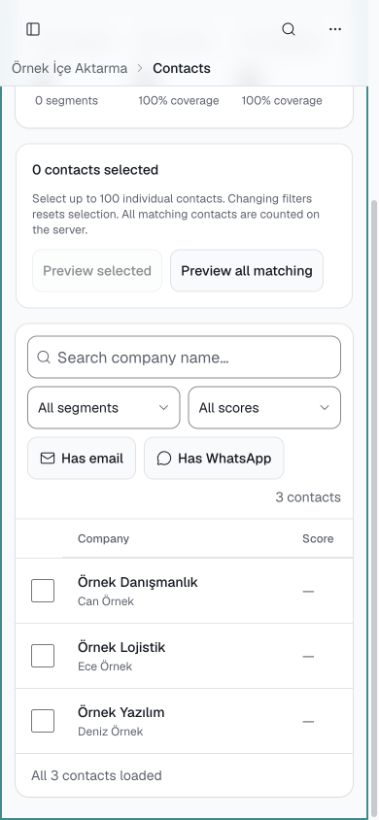
A silent, captioned 29-second tour of the actual interface: website and region preparation, contacts imported from a sample file, pending company rights and preparation of your own accounts, then the mobile list. The video loads when you start it.
Read the video transcript
ULAK product tour — silent example video made from actual application screens. 00:00:00.000–00:00:05.750 Start with your website. Describe your product and target customers. 00:00:05.750–00:00:11.500 Choose a small region first. No research was started in this example. 00:00:11.500–00:00:17.250 Organize your Excel, CSV or JSON list. This screen shows three imported fictional contacts. 00:00:17.250–00:00:23.000 Complete company details and prepare your own accounts. Company rights and daily limits are shown separately. 00:00:23.000–00:00:29.000 Access your customer list on mobile too. Review your campaign before you start sending. Fictional example data. This video does not establish payment, actual customer discovery, account connection or message delivery.
Try it with your own workflow first.
Set up a workspace, upload a sample list and prepare your first campaign.
Start freeFree company start
One nonexpiring company allocation: 50 businesses to research, 50 email recipients and 50 WhatsApp recipients. Rights activate after company details are accepted and are shared by your team.
Paid plans are currently unavailable.
Create an account and set up a trial workspace. Plans will appear here when they become available for purchase.